1. Introduction — What This Studio Can Do
Updated: 2026-06*
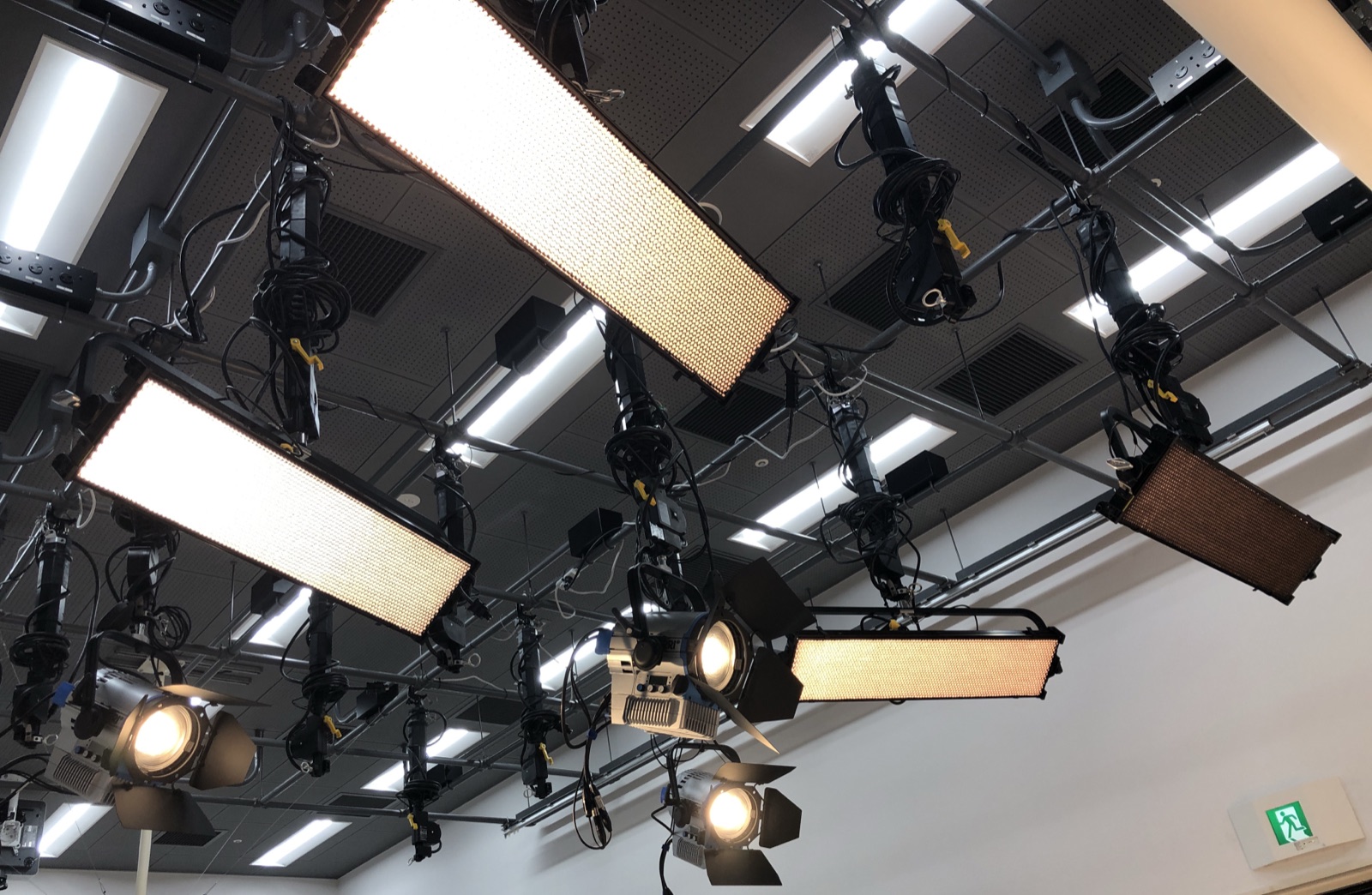
Look up at the ceiling of the photo studio and you’ll see several LED fixtures hanging there. They’re arranged to light the center of the studio from above, and they are not fixtures you switch on one at a time. Instead, their brightness and color are all controlled together from a PC set off to the side.
This series explains how that works — DMX and QLC+ — in a way that makes sense even if it’s your first time.
What this studio can do
Every ceiling LED here is a type whose brightness, color temperature, and color can be freely controlled. Concretely, you can:
- Vary color temperature continuously, from daylight white to sunset orange
- Mix red, green, and blue to make any color (light the background blue, keep only the subject warm, and so on)
- Adjust brightness smoothly from 0% to 100%
- Control multiple lights together or separately
- Save a combination of light settings as a “scene” and recall it with one tap
You can switch between as many looks as your shoot needs — “soft light for portraits,” “clean white for products,” “dramatic purple-background lighting,” and more.
Why control it from software
The ceiling fixtures do have control panels on the units themselves. But hauling out a stepladder to adjust each one during a shoot isn’t realistic.
So instead, we build a “virtual control panel” on the PC screen and drive all the lights from there.
This is made possible by the free, open-source software QLC+.
[Photographer]
   ↓ drag a fader with the mouse
[QLC+ on the PC screen]
   ↓ send a signal
[Ceiling LED fixtures]
   ↓
[Subject gets brighter / changes color]
Raise the brightness on the PC next to the camera, and the ceiling lights respond instantly — that’s the environment we’ve set up.
What is DMX?
Let’s pause on the industry term “DMX.”
DMX is the standard communication protocol used in the world of stage and studio lighting. Commands like “light this fixture at 50% brightness, in blue” are sent over a cable in a fixed format.
Household lighting is basically just “on/off” with a switch. In the world of DMX, you can send many values to a single fixture at once — “brightness,” “amount of red,” “amount of green,” “amount of blue,” “color temperature,” and so on. That is the strength of DMX.
Every fixture in this studio is DMX-compatible. The values sent from the PC ultimately reach each light as DMX signals, which is what makes such fine control of the light possible.
What you’ll learn in this series
There are five chapters. Each is sized to read in 5–10 minutes.
| Chapter | Contents |
|---|---|
| Chapter 1 | Introduction (this article) |
| Chapter 2 | System overview and signal flow |
| Chapter 3 | Fixture features — Diva-Lite 31 and ARRI L7-C |
| Chapter 4 | Using QLC+ — from startup to shutdown |
| Chapter 5 | Safe operation and troubleshooting |
Chapter 2 uses a diagram to trace how the signal flows from the PC all the way to the ceiling lights. Once you understand “which part changes what,” you can stay calm when something goes wrong.
Background knowledge you need
No special knowledge is required.
- You can do basic PC (Windows/Mac) operations
- You have shot in a studio before, or you’re about to start
That’s enough to follow along. No knowledge of electrical work or programming is needed at all.
Important notes
The lighting in this studio is equipment that students use unattended. Please always observe the following.
- After use, shut down QLC+ properly and turn the lights off (explained in detail in Chapters 4 and 5)
- Do not change the wiring of the equipment on your own
- Do not overwrite-save the configuration (project) file
The full operating rules are summarized in Chapter 5.